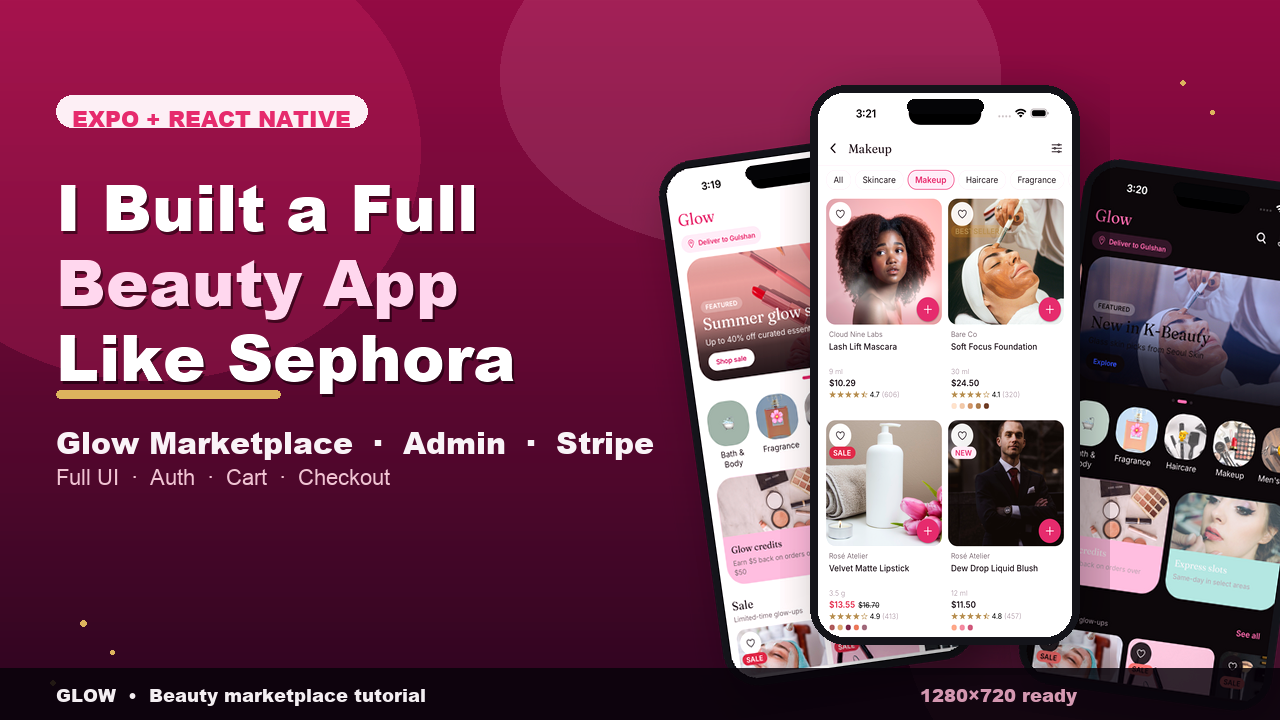
Glow is a full-stack beauty & cosmetics marketplace for iOS, Android, and web — inspired by Sephora and BeautyBooth, built as a production-quality Expo + React Native app.
Shop across multiple boutiques (brand houses) with categories like Skincare, Makeup, Haircare, Fragrance, Bath & Body, Tools, Men’s Care, and Mom & Baby. Browse hero carousels, promo shelves, rich product pages (image galleries, shade pickers, ingredients, ratings & reviews), and a cross-boutique shop with filters and sort.
The shopping experience is multi-boutique: each store has its own bag, free-shipping progress, wishlist, and checkout flow with delivery slots, address, promo codes, and payment methods (COD, wallet, Stripe-ready). Orders persist and advance through a live tracking timeline (Confirmed → Packing → Dispatched → Out for delivery → Delivered).
Architecture is mock-first, backend-ready: the app runs fully offline on a typed seed catalog, then prefers a real Express + Prisma + PostgreSQL API with automatic fallback when the server is offline. Auth uses JWT (guest browse, register, login; USER / ADMIN roles). Admins get a role-gated portal for products, categories, orders, users, and database stats.
UI uses a premium rose + gold design system with NativeWind (Tailwind), light/dark themes, Fraunces + Inter typography, Reanimated motion (reduce-motion safe), and accessibility-minded components throughout.
Demo accounts (seeded backend)
• Shopper: demo@glow.dev / demo1234
• Admin: admin@glow.dev / admin1234